Vector PDF vs. Word (.docx): Which Format Should Developers Actually Send Recruiters?
Spend five minutes reading career advice on Reddit or LinkedIn and you will see two completely contradictory rules:
- "Always send a PDF so your fonts and layout never break."
- "Always send a Word (.docx) file because Applicant Tracking Systems (ATS) can't read PDFs properly."
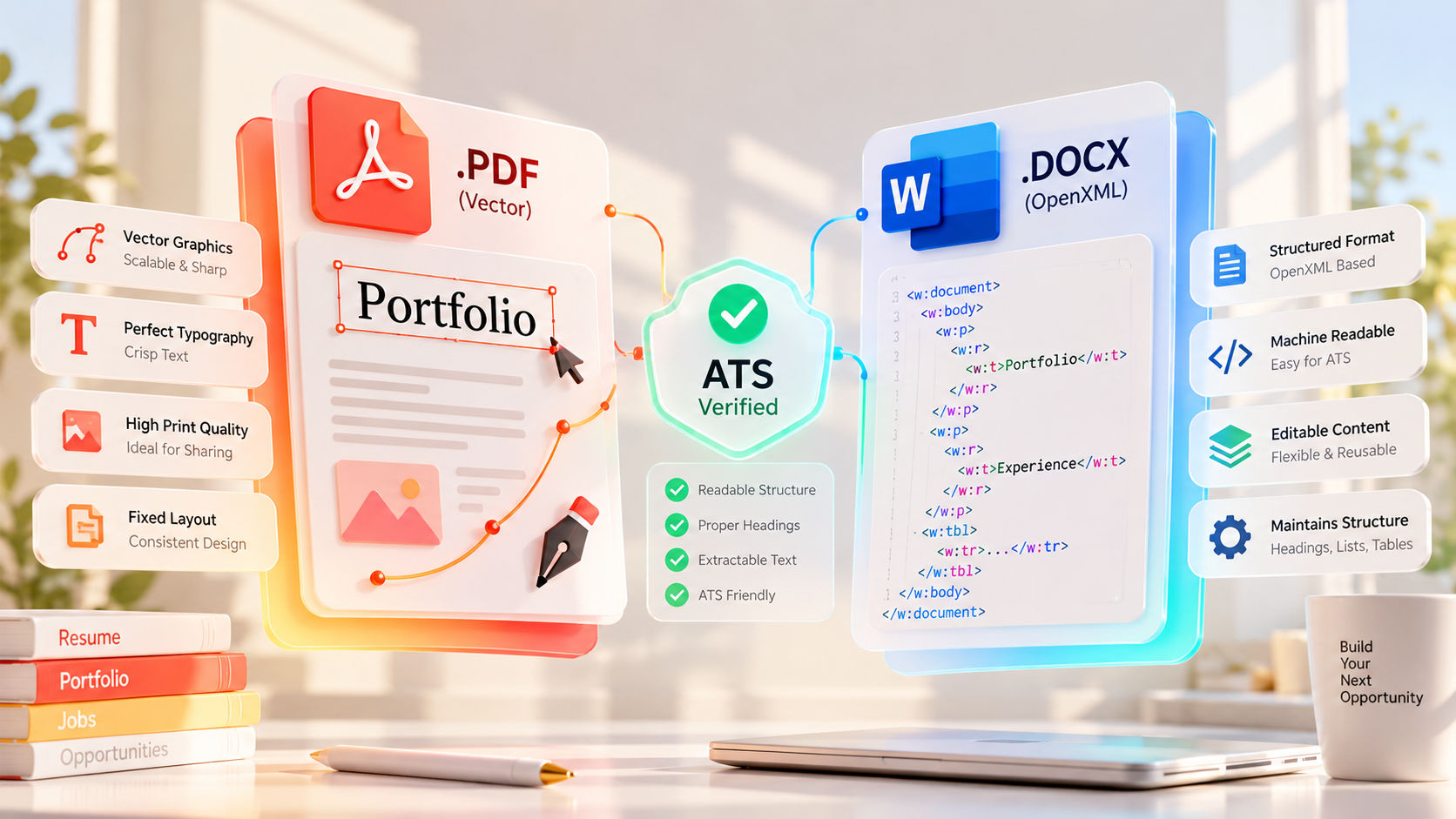
Which camp is right? From a software engineering perspective, both statements are half-truths because people treat "PDF" as a single format. In reality, there is a massive technical difference between a True Vector PDF (compiled with real UTF-8 text streams) and a Vector-Outlined or Rasterized PDF (exported from design tools like Figma or Canva).
Let’s inspect the file architecture of both .pdf and .docx formats, see how modern ATS parsers ingest them, and establish a definitive rulebook on what to send technical recruiters.
1. Inside a .docx File: Why Legacy Parsers Love OpenXML
Many engineers think of a Microsoft Word .docx file as a proprietary binary blob. Technically, any modern .docx file is just a standard ZIP archive containing structured XML files (known as Office Open XML).
If you rename resume.docx to resume.zip and extract it in your terminal, you will find word/document.xml:
unzip resume.docx -d extracted_resume
cat extracted_resume/word/document.xml
Inside document.xml, your resume content is already organized into clean semantic nodes—paragraphs (<w:p>), text runs (<w:t>), and table cells:
<w:p>
  <w:r>
    <w:t>Senior Full-Stack Engineer — Built distributed microservices in Go and Kafka.</w:t>
  </w:r>
</w:p>
The Pros & Cons of .docx for Developers
- The Pro (Zero Spatial Guessing): Because XML defines explicit paragraph and line breaks, even the oldest legacy ATS parser from 2010 can extract your text in 100% linear order without guessing where columns or lines end.
- The Con (Visual Instability): If a hiring manager opens your
.docx file on macOS Pages, Google Docs, or a Linux machine that lacks your custom fonts (JetBrains Mono, Inter, or Roboto), the document reflows. A crisp 1-page resume suddenly spills onto 1.25 pages with broken tab stops.
2. Not All PDFs Are Equal: True Vector Text vs. Outlined Paths
Unlike .docx, a PDF is a page-description language (derived from PostScript) designed to lock every glyph at exact $(X, Y)$ Cartesian coordinates. However, how your PDF generator encodes those characters determines whether an ATS can read your resume or sees a blank page.
Type A: True Vector PDFs (With Embedded Font Maps)
Generated by LaTeX, Typst, React-PDF, Puppeteer (Chromium print), or Microsoft Word export.
- These files store actual text strings alongside a
ToUnicode CMap table and vector font glyphs.
- Both human eyes and ATS text extractors (
pdftotext, Apache Tika) read them effortlessly while preserving 100% visual fidelity across every operating system.
Type B: Outlined Vector PDFs (The Figma / Illustrator Trap)
Generated when designers or frontend developers export a resume from Figma, Adobe Illustrator, or Canva with "Outline Text" or flatten settings enabled.
- Visually, the text looks infinitely sharp when you zoom in to 800% because each letter is drawn using mathematical Bézier curves (
<path d="M10 10..."/>).
- To an ATS, this file contains zero text. Because the characters were converted into geometric vector shapes rather than UTF-8 character codes, the parser extracts an empty string unless it falls back to slow, error-prone Optical Character Recognition (OCR).
Type C: Rasterized (Image-Only) PDFs
Generated by scanners or "Print to Image" tools. The entire page is a flat bitmap (JPEG/PNG) wrapped in a PDF container. Never submit a rasterized PDF to a job portal.
3. Why Do Third-Party Agency Recruiters Insist on .docx?
If modern company portals like Greenhouse, Lever, and Ashby parse True Vector PDFs flawlessly, why do external agency recruiters constantly email developers asking for a Word .docx version?
It rarely has anything to do with ATS parsing. Agency recruiters ask for .docx for three operational reasons:
- Anonymizing Contact Info: Staffing agencies strip out your phone number, email, and portfolio links so the client company cannot bypass the agency and hire you directly without paying a commission fee.
- Adding Agency Branding: They insert their agency header, logo, and candidate summary box at the top of page one before forwarding your profile to the hiring manager.
- Quick Keyword Tweaks: Some recruiters manually bold or adjust terminology in your summary to match a client's strict checklist.
4. How to Verify Your PDF is ATS-Safe in 5 Seconds
Before uploading your PDF anywhere, run two quick checks:
- The Cursor Drag Test: Open the PDF in Chrome or Edge. Try to highlight a single word in the middle of a bullet point. If your cursor selects individual letters smoothly, it has a real text layer. If clicking highlights the entire page as a giant blue box—or nothing at all—your text has been outlined or rasterized.
- The CLI
pdftotext Check: Run the exact same utility many Linux-backed ATS servers use in production:
pdftotext my_resume.pdf - | head -n 30
If your terminal prints clean, properly spaced English sentences in the right order, your Vector PDF is bulletproof.
Follow this simple decision matrix for every application:
- Direct Company Portals (Greenhouse, Lever, Workday, Ashby, SmartRecruiters): Always upload a single-column True Vector PDF. It locks in your typography, preserves clickable GitHub/portfolio URLs, and parses with 100% accuracy.
- Cold Emailing a Founder or Engineering Manager: Send a True Vector PDF. No engineer wants to wait for Microsoft Word or LibreOffice to boot up just to read an attachment.
- External Staffing Agencies & Headhunters: Keep a clean, single-column
.docx twin ready on your hard drive. When an agency recruiter asks for Word format so they can submit you to a client, sending it immediately speeds up your representation.