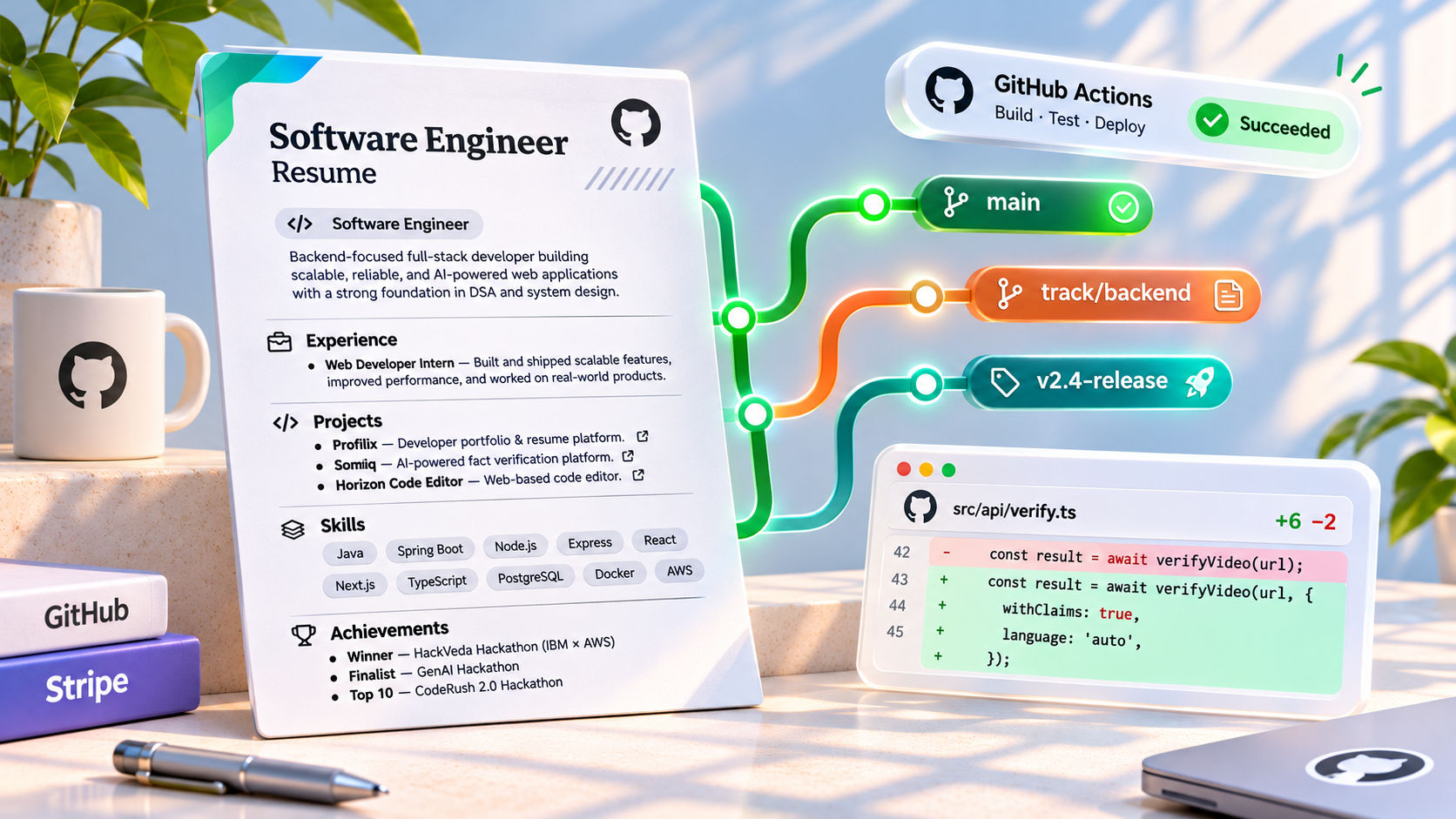
Versioning Your Resume Like Code: A Git Workflow for Job Applications
Look inside any software engineer’s Downloads or Documents folder during job-hunting season, and you are guaranteed to find a graveyard of files that looks like this:
Resume_2026_Final.pdfResume_2026_Final_v2_Backend.pdfFirstname_Lastname_Resume_Google_REAL_FINAL.pdf
For professionals who use Git every day to manage complex distributed systems, managing our most important career document by duplicating binary files is an anti-pattern. When a recruiter calls you three weeks after you applied and asks about a specific project bullet on your resume, you shouldn't have to guess which version of your PDF you uploaded to their portal.
By treating your resume as Documentation-as-Code—storing it in plain text (LaTeX, Typst, Markdown, or JSON Resume) and managing it with a structured Git workflow—you gain full diff history, role-specific branching, and automated PDF compilation via CI/CD. Here is how to set it up.
1. Ditch Binary Formats for Plain-Text Source Code
Git cannot meaningfully diff a binary .docx or .pdf file. To unlock line-by-line version control (git diff), your resume’s source of truth must live in plain text:
- LaTeX (
.tex): The gold standard for engineering resumes. Offers pixel-perfect typographic control and clean UTF-8 vector PDF output when configured with \pdfgentounicode=1.
- Typst (
.typ): A modern, blazingly fast alternative to LaTeX with cleaner syntax and instant incremental compilation.
- JSON Resume / YAML + Markdown: Ideal if you want to decouple your raw career data from presentation templates and render both a web portfolio and a print PDF from a single data file.
2. The Branching Strategy: main vs. Role-Specific Branches
Applying to a Frontend/WebGL role, a Backend Systems role, and an AI Engineer role with the exact same resume dilutes your signal. Instead of maintaining three separate folders, use a Branch-Per-Track strategy:
main (The Master Ledger): Contains your comprehensive, master resume—every internship, project, hackathon win, and skill you have ever shipped.track/fullstack: Branched off main. Prioritizes React, Next.js, Node.js, and end-to-end product metrics.track/backend-systems: Branched off main. Swaps out UI projects for distributed systems, PostgreSQL indexing, Redis caching, and concurrency metrics.track/ai-ml: Branched off main. Highlights RAG pipelines, FastAPI workers, vector databases, and evaluation benchmarks.
# Create role-specific branches from main
git checkout -b track/backend-systems
git checkout -b track/frontend-webgl
Cherry-Picking New Achievements Across Branches
What happens when you win a hackathon or ship a major feature at work? You don't manually copy-paste it across four files. You commit the new bullet point once to main, and git cherry-pick that exact commit into your active role branches:
# 1. Commit your new achievement on main
git checkout main
git commit -am "feat(projects): add AI video fact-checking engine metrics"

# 2. Grab the commit hash (e.g., a1b2c3d) and apply it to your role branch
git checkout track/fullstack
git cherry-pick a1b2c3d
3. Tagging Every Job Application (git tag)
Whenever you tailor a resume for a high-priority company and hit "Submit" on their ATS portal, create a lightweight Git Tag on that exact commit.
git tag -a app/stripe-swe-2026-11 -m "Submitted to Stripe Backend SWE role via Greenhouse"
git push origin --tags
Why is this a game-changer? When Stripe emails you for a technical screen a month later, you simply run:
git show app/stripe-swe-2026-11
In one second, you know the exact project order, bullet phrasing, and tech stack keywords the interviewer is looking at on their screen.
4. Automating PDF Builds with GitHub Actions CI/CD
You shouldn't have to open a local LaTeX compiler every time you fix a typo. By adding a simple .github/workflows/build-resume.yml pipeline to your repository, GitHub Actions will automatically compile your .tex or .typ file into a clean Firstname_Lastname_Resume.pdf on every push and attach it to a GitHub Release.
name: Compile Resume PDF

on:
  push:
    branches: [ main, 'track/**' ]
    tags: [ 'app/**' ]

jobs:
  build_latex:
    runs-on: ubuntu-latest
    steps:
      - name: Checkout Resume Repo
        uses: actions/checkout@v4

      - name: Compile LaTeX to Vector PDF
        uses: xu-cheng/latex-action@v3
        with:
          root_file: resume.tex
          args: -pdf -interaction=nonstopmode

      - name: Upload Compiled Resume Artifact
        uses: actions/upload-artifact@v4
        with:
          name: Firstname_Lastname_Resume_${{ github.ref_name }}
          path: resume.pdf
5. Adding Automated Linting to Your Resume Pipeline
Since your resume is now running in CI/CD, you can treat resume mistakes like build errors:
- Page-Count Assertion: Add a shell step using
pdfinfo resume.pdf | grep "Pages: *1" so your CI build fails automatically if a new commit accidentally pushes your resume onto a second page.
- Spellcheck & Action Verb Linting: Run
codespell or vale in your pipeline to catch typos in technology names (PostgreSQL, TypeScript, Kubernetes) and flag weak passive phrases like "Responsible for" or "Worked on".
- ATS Plain-Text Artifact: Have your workflow run
pdftotext resume.pdf resume.txt and upload the .txt output alongside the PDF so you can inspect the exact raw text stream an ATS parser will extract.
By turning your resume into a versioned, CI/CD-verified repository, you eliminate file-naming chaos forever and ensure every recruiter receives a tested, role-optimized build of your career history.