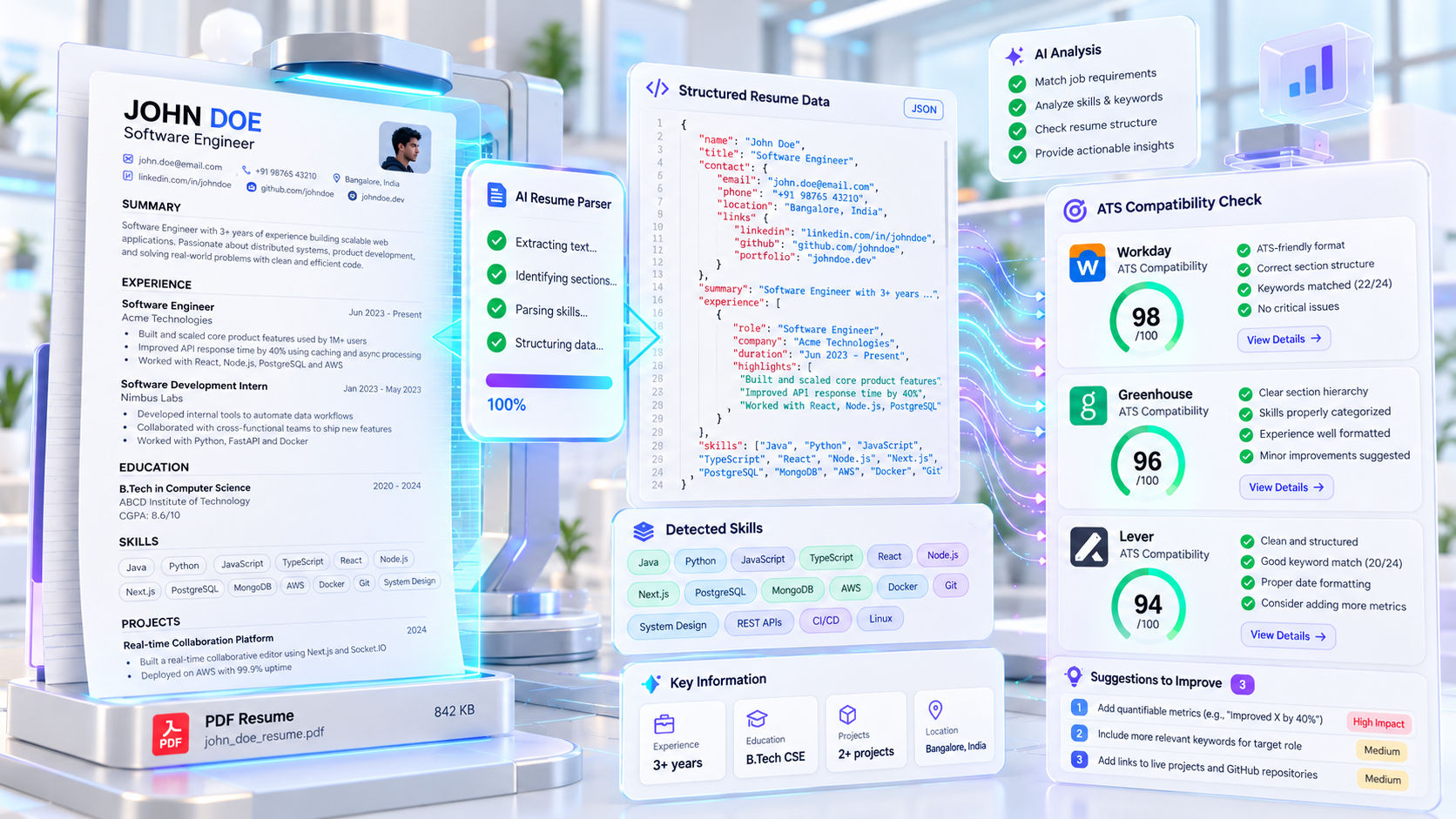
Workday vs. Greenhouse vs. Lever: How Modern ATS Systems Parse Software Engineer Resumes
Every software engineer knows the frustration: you spend hours crafting a clean, pixel-perfect PDF resume, upload it to a company job portal, and watch in horror as the next screen puts your University Name inside the Job Title field and concatenates five different project bullets into a single, unreadable string.
Yet, when you upload that exact same PDF to a startup using Greenhouse or Lever, it parses your work history, GitHub links, and tech stack effortlessly.
Why do different Applicant Tracking Systems (ATS) behave so differently? As engineers, the best way to beat a system is to understand its underlying architecture. Let’s look under the hood of how modern ATS platforms ingest, tokenize, and index your resume—and how to engineer a document that parses cleanly across all of them.
How ATS Parsing Works Under the Hood
When you upload a .pdf or .docx file, the ATS does not "look" at your resume the way a human eye looks at a webpage. Instead, it runs your file through a three-stage data pipeline:
- Raw Text Stream Extraction: Using utilities similar to
pdftotext or Apache Tika, the parser strips away all fonts, colors, borders, and visual positioning, extracting a raw stream of UTF-8 characters based on the internal DOM/object order of the PDF.
- Section Segmentation & Tokenization: The parser scans for known section delimiters (
Experience, Education, Skills, Projects) to slice the raw text into logical blocks.
- Named Entity Recognition (NER): Using NLP models (often powered by third-party parsing engines like Textkernel, Sovren, or Daxtra), the system maps tokens into a structured JSON schema.
{
  "candidate": {
    "name": "Aarav Sharma",
    "links": ["[github.com/aarav-dev](https://github.com/aarav-dev)", "[linkedin.com/in/aarav-dev](https://linkedin.com/in/aarav-dev)"]
  },
  "experience": [
    {
      "company": "FinTech Corp",
      "role": "Backend Software Engineer",
      "startDate": "2024-06",
      "endDate": "Present",
      "extractedSkills": ["Go", "PostgreSQL", "Docker", "Redis", "gRPC"]
    }
  ]
}
If step 1 (Text Extraction) fails because of bad PDF encoding or multi-column layout collisions, steps 2 and 3 produce corrupted JSON—rendering you invisible in recruiter keyword searches.
Not all ATS platforms use their parsed data the same way. Understanding which platform you are applying to changes how you should optimize your submission.
1. Workday (The Enterprise Gatekeeper)
Used heavily by Fortune 500 companies, banks, and legacy tech giants, Workday relies on strict database field mapping.
- How It Parses: Workday extracts text from your PDF to auto-populate its multi-step web form. Crucially, recruiters searching inside Workday often query those populated database fields rather than the visual PDF.
- Common Failure Points: Workday’s parser is notoriously sensitive to two-column layouts, right-aligned dates on the same line as company names, and custom bullet characters (like arrows or diamonds).
- Survival Strategy: Always verify every auto-filled box on Step 2 of a Workday application. Keep dates in standard
MM/YYYY or Month YYYY format, and place the Company Name and Job Title on separate lines if you notice frequent field swapping.
2. Greenhouse (The Modern Tech Standard)
Favored by high-growth tech companies, mid-sized SaaS firms, and unicorns, Greenhouse treats your resume primarily as a visual document backed by full-text search.
- How It Parses: Greenhouse indexes the full text of your PDF for boolean search (
"React" AND "TypeScript" AND ("GraphQL" OR "Next.js")), but when a recruiter opens your profile, they view a high-resolution browser render of your actual PDF right next to a structured scorecard.
- Common Failure Points: Embedded graphics, text saved as vector outlines (often exported from Figma or Canva), and non-clickable hypertext links.
- Survival Strategy: Because humans look directly at the PDF render in Greenhouse, visual hierarchy and clean typography matter immensely—as long as the underlying text layer remains selectable and searchable.
3. Lever (The Startup & Scale-Up Favorite)
Used widely across agile engineering orgs and Y Combinator startups, Lever combines a CRM with an applicant tracker.
- How It Parses: Lever’s native parser excels at pulling social and portfolio URLs (
github.com, personal domains) into dedicated sidebar widgets. It automatically calculates "years of experience" by summing the durations of date ranges under your Work Experience header.
- Common Failure Points: If you put graduation dates or project dates inside the same visual layout pattern as work history without clear section headers, Lever can miscalculate your total years of experience.
- Survival Strategy: Clearly separate
Work Experience from Projects and Open Source Contributions using standard H2 text headers so the duration calculator only counts relevant roles.
4 Silent Bugs That Break Engineering Resumes
Even experienced developers accidentally introduce parsing bugs when building their resumes. Watch out for these four traps:
1. The LaTeX Ligature Bug (fi, fl, ff)
Many CS students and engineers compile their resumes in LaTeX (via Overleaf). By default, older LaTeX engines combine character pairs like fi (in Artificial or Configuration) into a single decorative glyph. When an ATS extracts the text, it drops the glyph entirely, turning "Configured" into "Con gured".
- The Fix: Always include
\input{glyphtounicode} and \pdfgentounicode=1 in your LaTeX preamble, or use a modern PDF engine that enforces standard UTF-8 glyph mapping.
2. Multi-Column Reading Order Collisions
In a two-column resume (e.g., Skills and Education in a narrow left sidebar, Experience in the right column), dumb PDF extractors often read straight across the horizontal $Y$-axis from left to right—splicing your skills list right into the middle of your job descriptions.
- The Fix: Stick to a single-column top-to-bottom layout. It guarantees 100% linear reading order across every parser on the market.
3. Skill Progress Bars & Icons
Graphic bars showing "Python: 85%" or SVG icons next to your email and GitHub links contain zero parseable text data. To an ATS, an SVG GitHub icon followed by /username doesn't register as a valid GitHub URL.
- The Fix: Write out full text URLs (
github.com/username) and group skills in clean, comma-separated categories (Languages: Python, Java, C++, SQL).
4. Missing Acronym & Full-Name Variants
Some boolean searches look for "PostgreSQL" while others query "Postgres"; some search "Amazon Web Services" while others type "AWS".
- The Fix: Include common variations naturally across your Skills section and experience bullets so both exact-match queries and semantic parsers score a hit.
The 10-Second Plain-Text Litmus Test
Before submitting your resume to any portal, run this quick local debugging test:
- Open your exported PDF in your browser or PDF reader.
- Press
Ctrl + A (or Cmd + A) to select all text, then copy and paste it into a blank Notepad or VS Code .txt file.
- Inspect the output:
- Does the text flow in the exact chronological order you intended?
- Are any words stuck together without spaces?
- Are there strange
□ or ? Unicode replacement characters where bullets or ligatures used to be?
If your plain-text paste reads cleanly from top to bottom in VS Code, your resume is ready to pass Workday, Greenhouse, and Lever without dropping a single byte of your engineering impact.